San Jose, CA
Support 24/7: (408) 898-1576

How to Set Up the Nest Thermostat

How to Set Up the Nest Thermostat

Did you just get your new HVAC system installed and are trying to set up the Nest thermostat? Fear not — we got you covered. In this article we will describe in details how to properly add your Nest thermostat to the app, how to connect the wireless sensor and how to troubleshoot the thermostat.

How to Add Your Nest Thermostat to the Nest app

  • Connect your Nest thermostat to your home’s Wi-Fi network.
  • Press your thermostat’s ring to open the Quick View menu.
  • Select the Settings icon.
  • Choose Network.
  • Your thermostat will take a moment to scan for available networks. Choose your home Wi- Fi network from the
    list.
  • Enter your Wi-Fi password if prompted
  • Download the Nest app.

Download the Nest app.

Download the app for free from the Apple App Store or Google Play

Create a free account in the Nest app

  • Press Sign up on the Nest app login screen.
  • Enter your email address and choose a password that’s at least eight characters long.
  • Once you’ve signed up, you’ll receive a confirmation email.

Note: Once you’ve confirmed your free account, you won’t be able to add your thermostat to the Nest app until the
thermostat provides the entry key.

Connect the Nest to the phone app

  • Press your thermostat’s ring to open the Quick View menu.
  • Choose Settings.
  • Turn the ring to Nest app and press the ring to select it.
  • Select Get Entry Key to retrieve your unique entry key.
  • Open the Nest app and sign into your account if prompted.
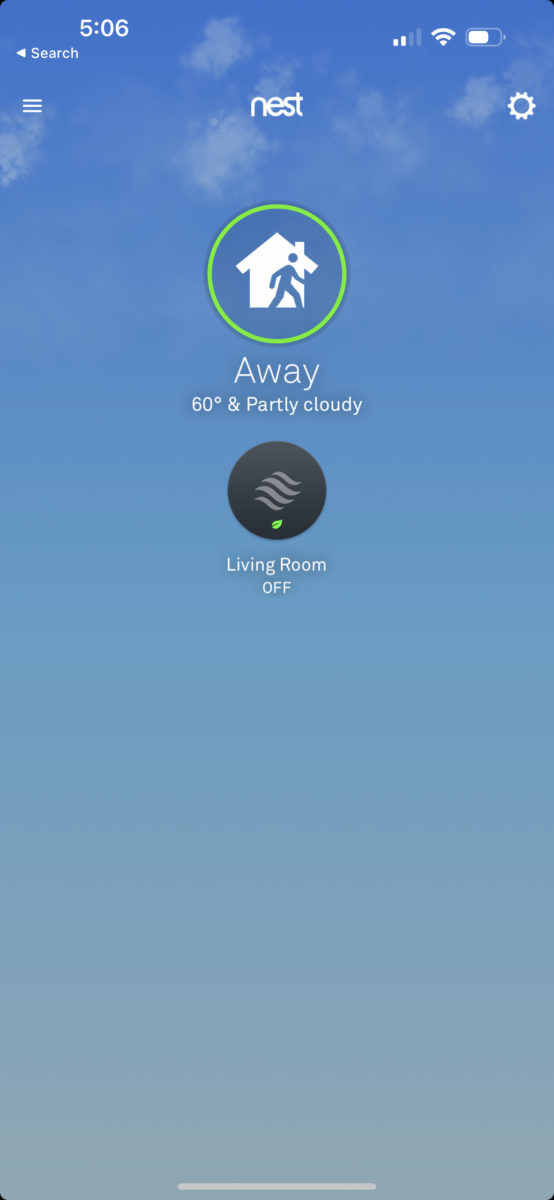
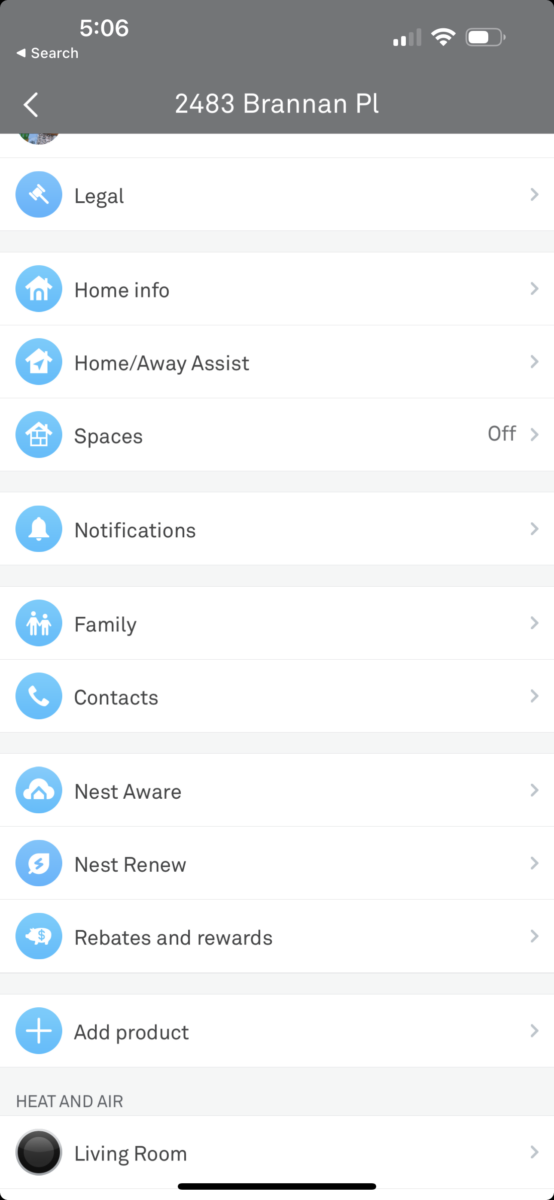
  • From the home screen, tap Settings.
  • Tap Add product.
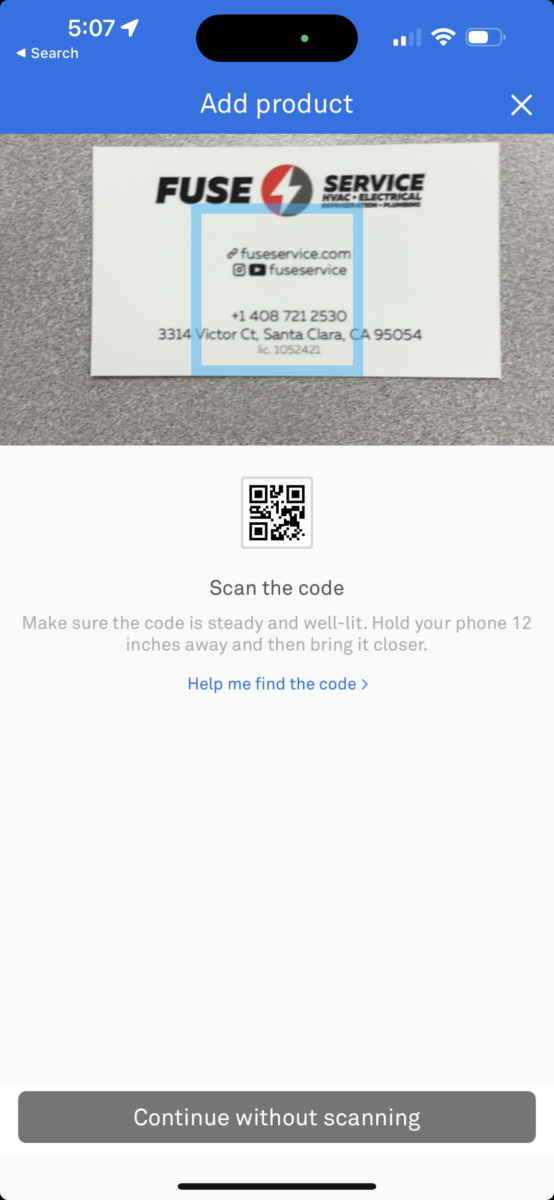
  • Tap Continue Without Scanning and then select the type of Nest thermostat you’re trying to add
  • Choose Thermostat already installed
  • Follow the Nest app’s instructions. When prompted, type in the entry key on your thermostat’s screen

Once you’ve entered the key, the Nest app will add your Nest thermostat to your account and allow you to control it
from the convenience of your phone or tablet.

How to Connect a Wireless Sensor to the Nest thermostat via Nest App

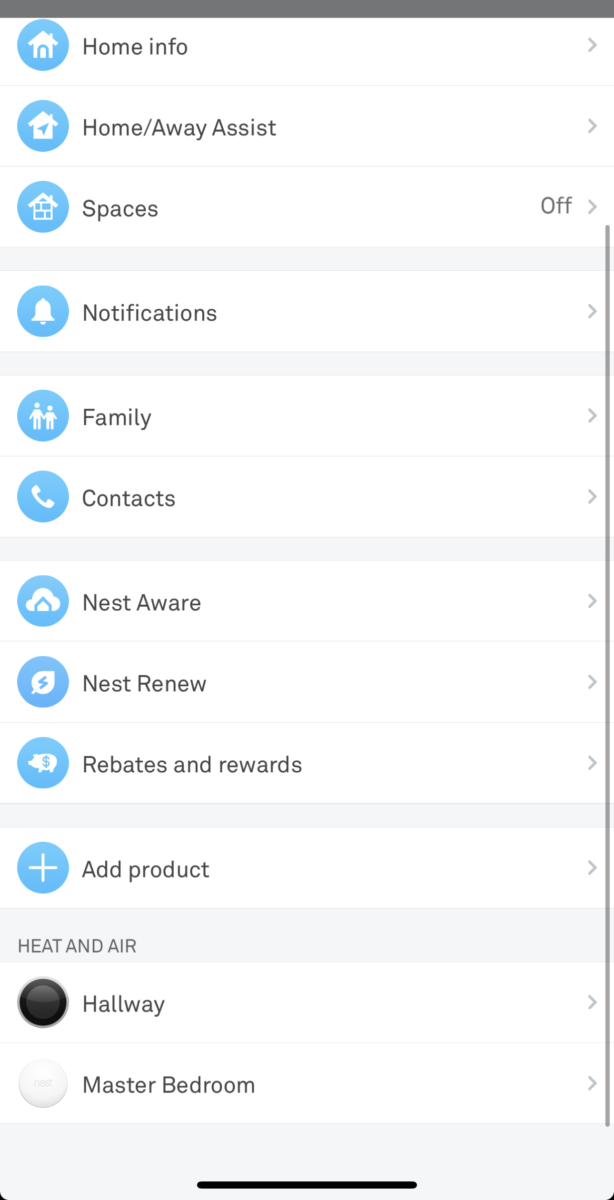
  • Open the Nest app
  • From the Main screen, go to Settings
  • Go to Add product
  • Locate the QR code on the sensor (on the piece of paper or under the back plate), then Scan the code
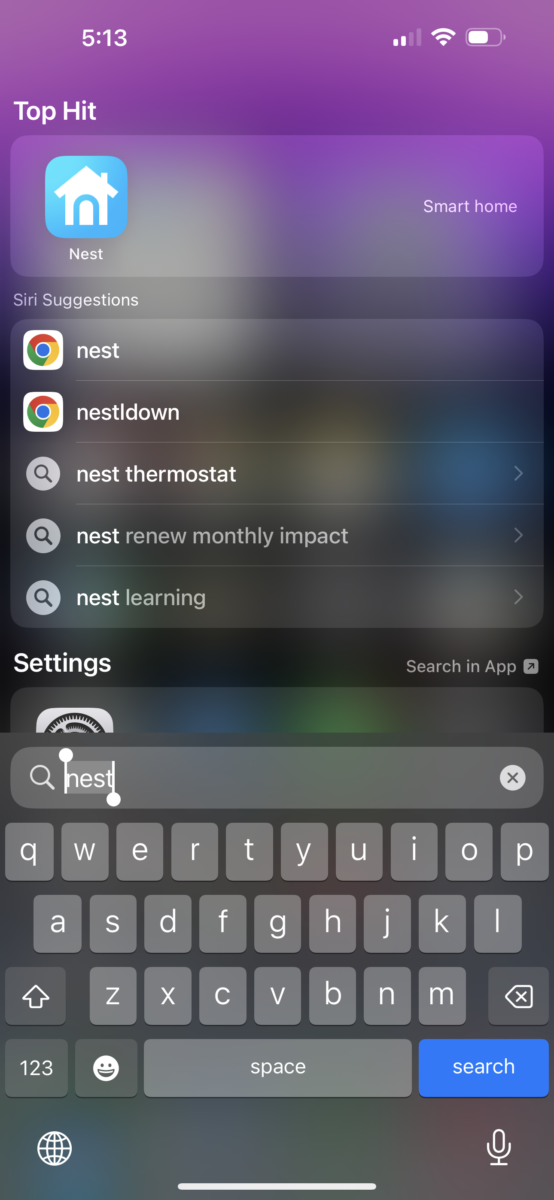
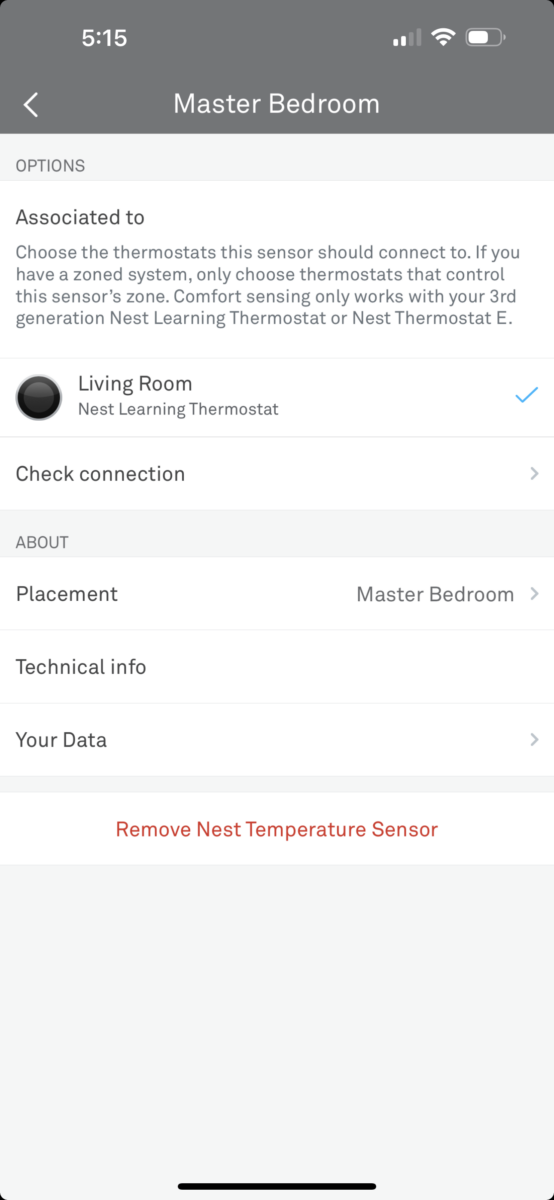
  • Attach the Sensor to the Nest thermostat. Go to Settings
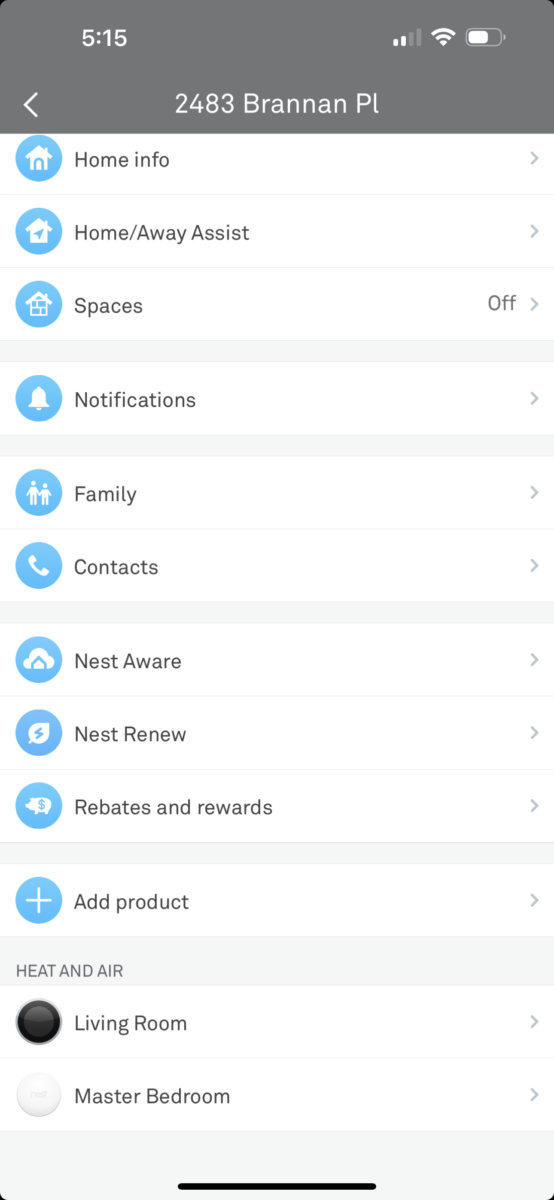
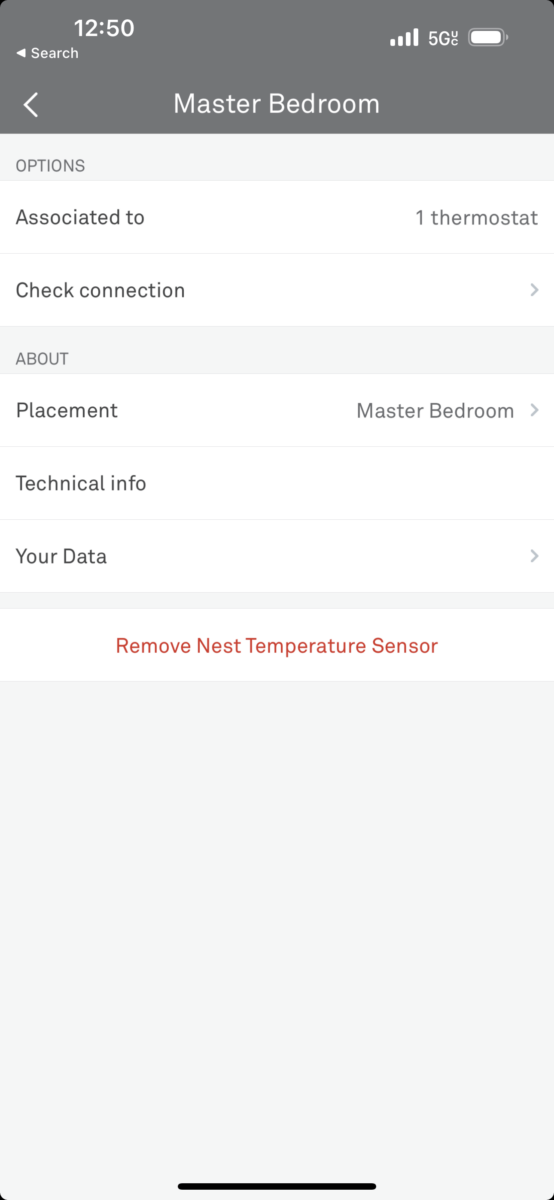
  • Choose the sensor
  • Click Associated to. To choose the thermostats, this sensor should connect to
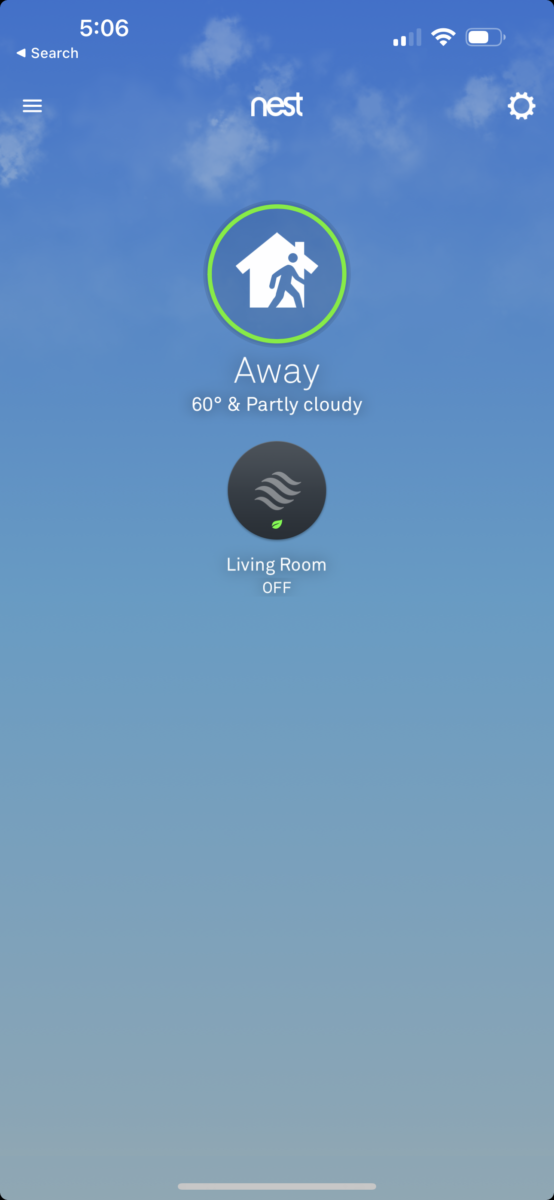
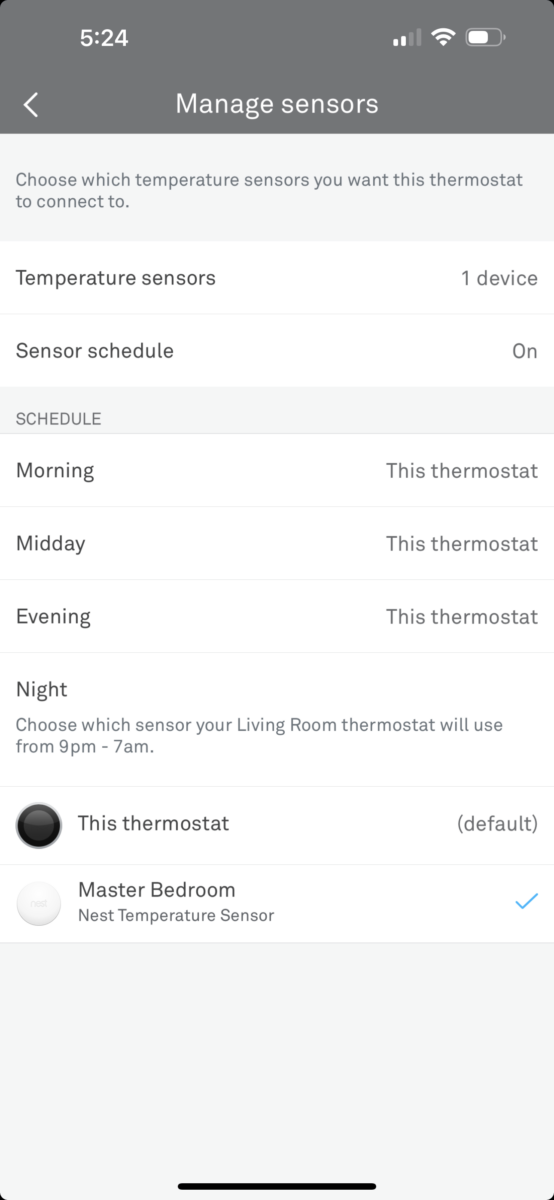
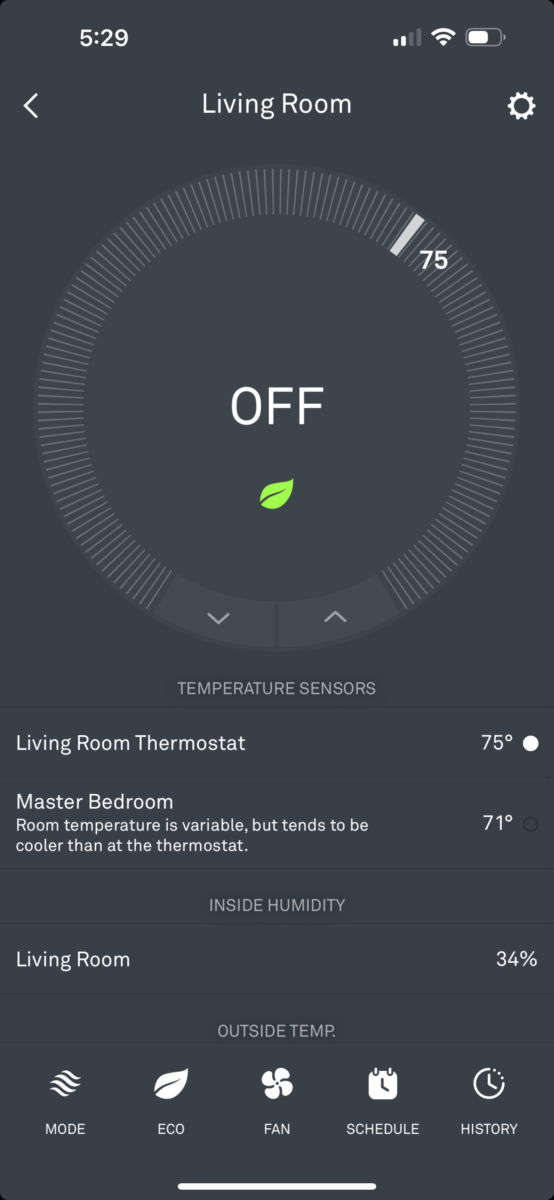
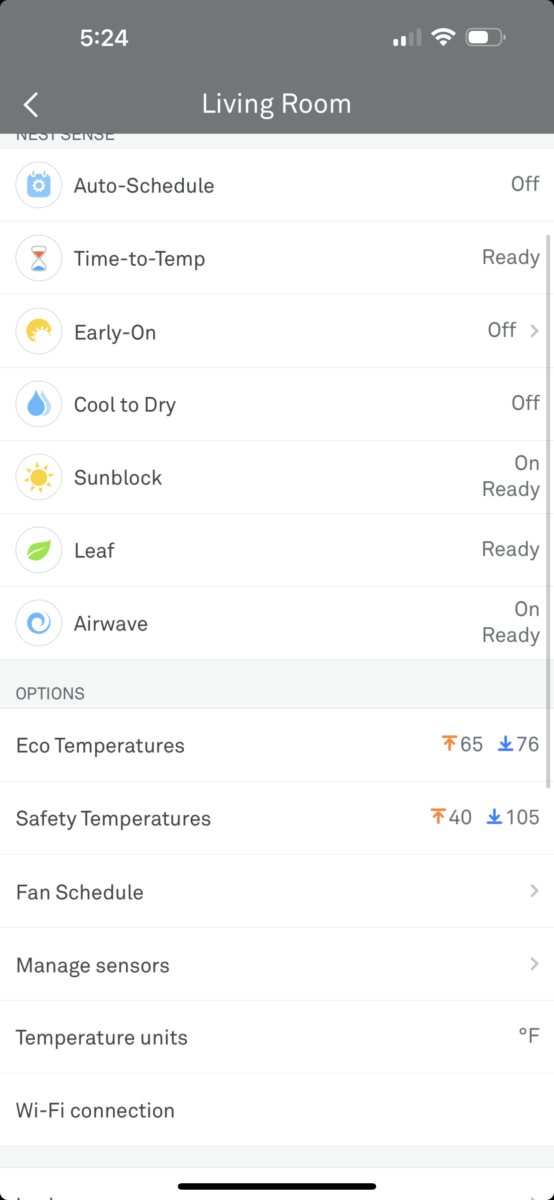
  • Set Sensor schedule. Go to thermostat Settings (in the app)
  • Click Manage sensors
  • Choose when the system will use a Thermostat built-in sensor and when the system will use a wireless sensor (for example, at night)
Troubleshooting Nest Thermostat: the Nest Sensor Lost Connection to the Thermostat.

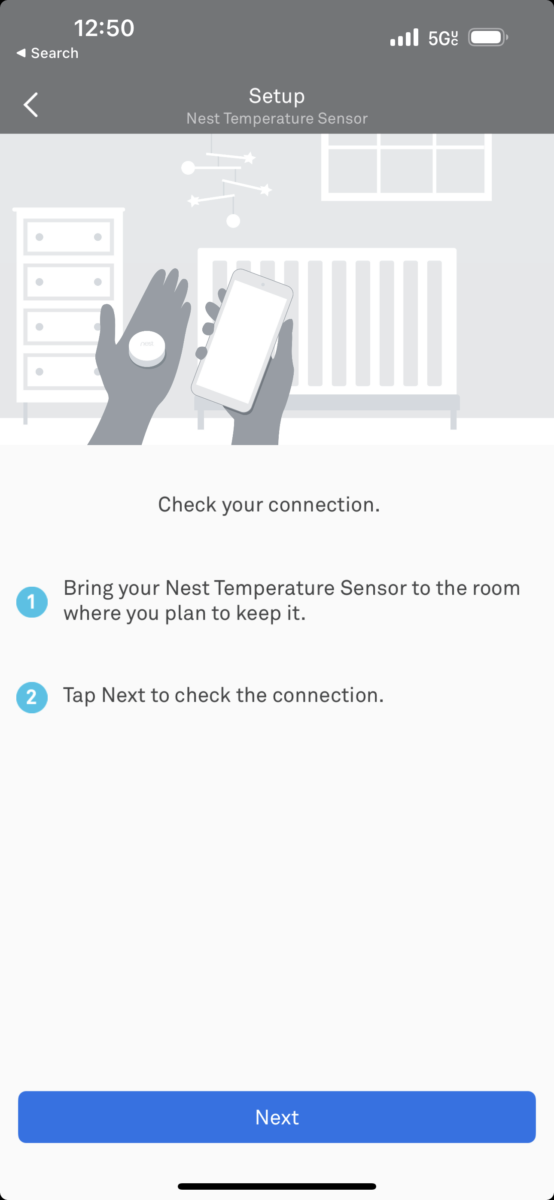
If the Nest sensor quit working. It’s a relatively easy fix. To reconnect the sensor:

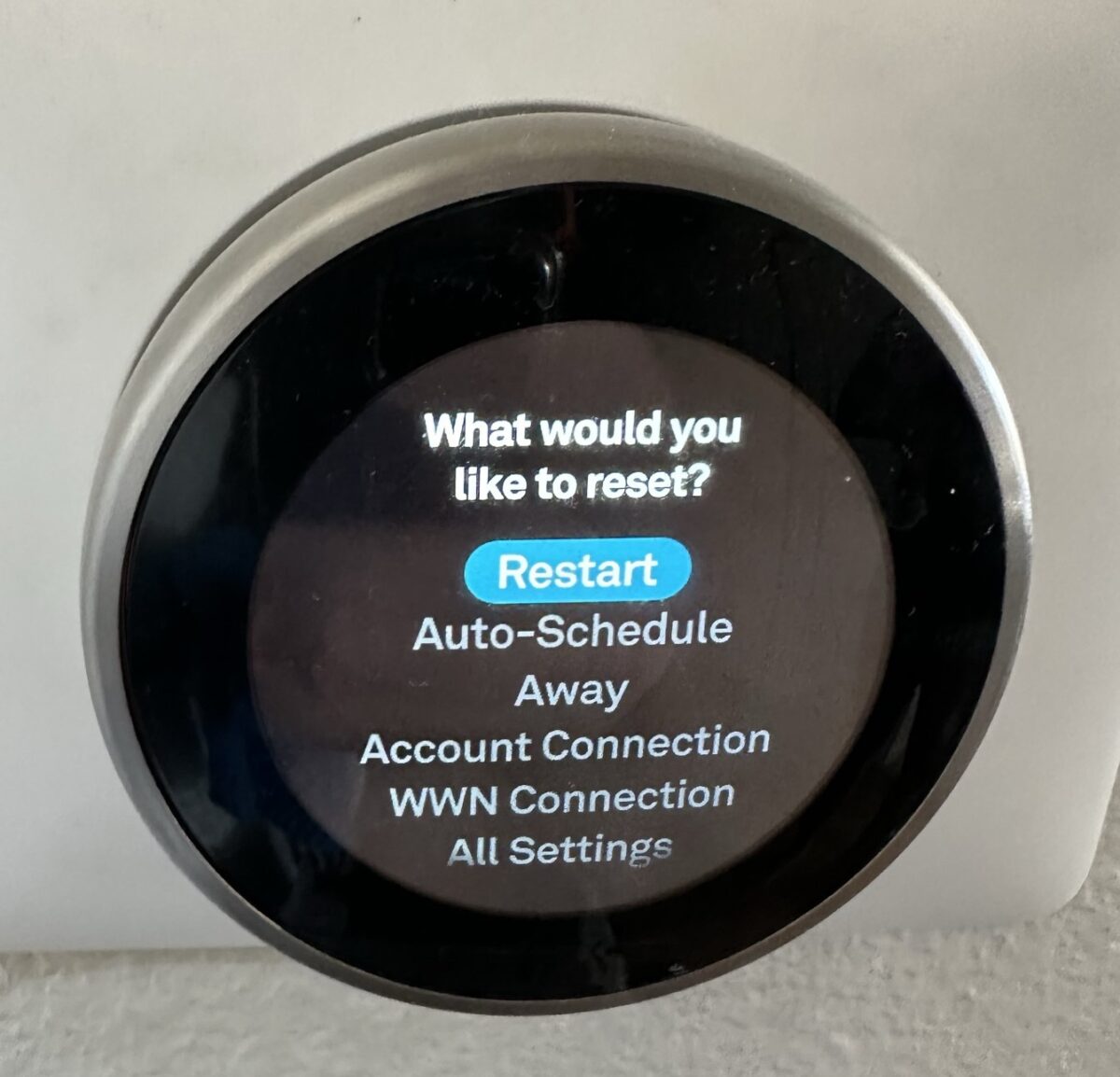
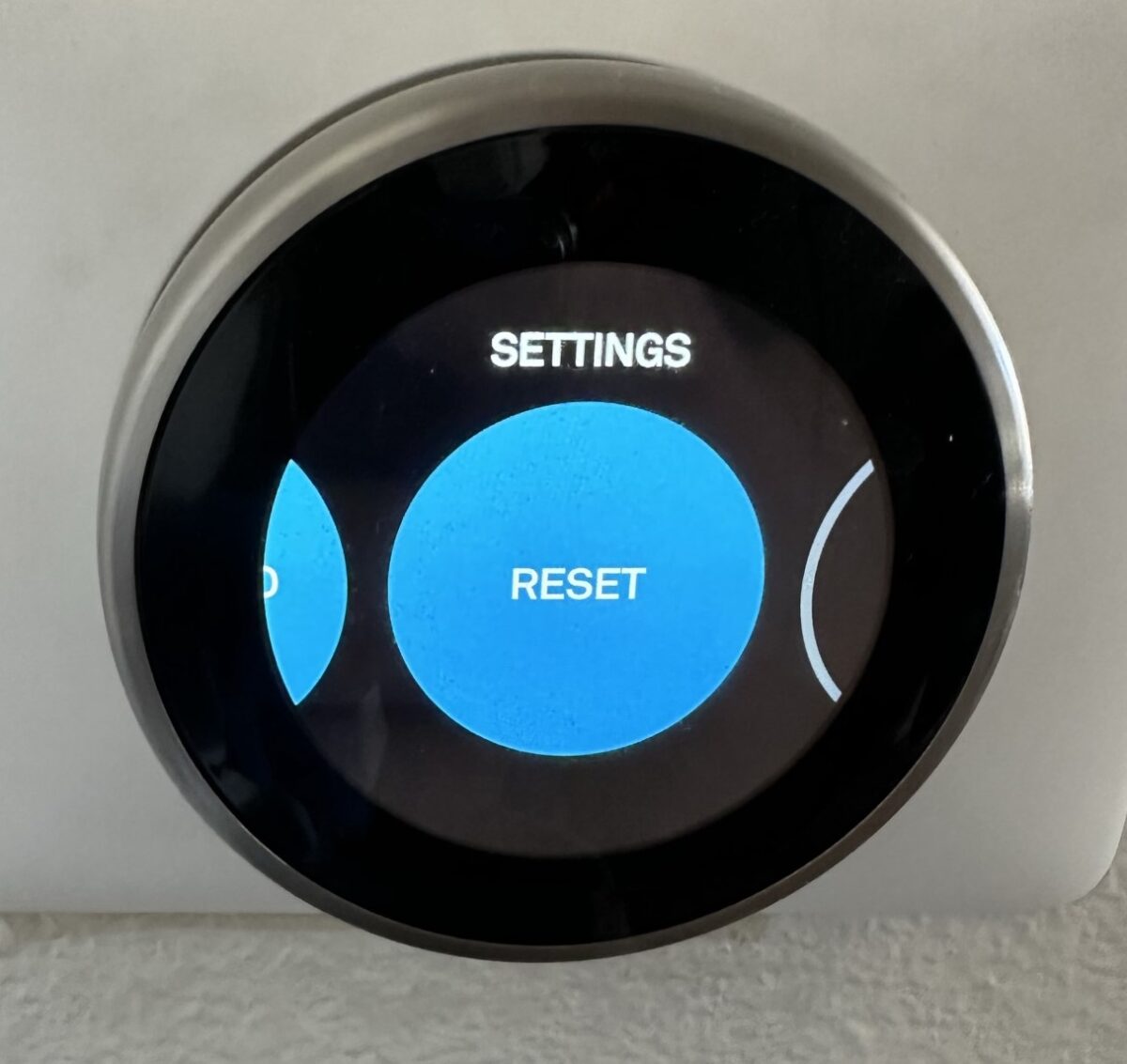
  1. Go into Settings on the Nest thermostat
  2. Go to Reset
  3. Click Restart (do not scroll down and delete everything on the thermostat).
  4. When the thermostat resets, check sensor connection via the app again.
We hope this article was helpful for you to set up the Nest thermostat. And if you need professional HVAC assistance, please do not hesitate to contact us — call (408) 898-1576 or drop an email at support@fuseservice.com and we will be happy to help!

 

Blog
You May Be Interested
Filters
  • Sort by Newest
  • Sort by Oldest
  • Advices
  • Electrical Service
  • HVAC Installation & Repair
  • News
  • Offers
  • Our Repairs
  • Plumbing
View All
We are Always in Touch to Help You with Any Issues
cta banner 1x
CTA 1X
Reviews
Don't Take Our Word for It — Check Out Our Reviews!
Posted on Yelp Yelp
Elise B. profile picture
Elise B.
Yelp star 1Yelp star 2Yelp star 3Yelp star 4Yelp star 5
Wilson did a great job installing a new thermostat. He offered different options of thermostats to choose from, and also fixed some wiring issues. He was timely, friendly and efficient.
Posted on Yelp Yelp
Rashmi K. profile picture
Rashmi K.
Yelp star 1Yelp star 2Yelp star 3Yelp star 4Yelp star 5
We reached out to Fuse Service to inquire about our options on new HVAC system. We got valuable professional advice from Cuinn. He answered all our questions and explained to us the options in detail.
Posted on Yelp Yelp
Daniel C. profile picture
Daniel C.
Yelp star 1Yelp star 2Yelp star 3Yelp star 4Yelp star 5
We had a four zone mini split installed by Fuse and the technician, Eugene, along with his team was incredible! The installation process was super smooth, Eugene was very knowledgeable and explained the details and where the lines would be run. When the outdoor unit location was more difficult to install than expected, Eugene was happy to move the location and try to make it work. Everything was super smooth, Eugene was very punctual and detailed, the installation itself was very clean and precise, and his team left the place spotless and patched up areas so nicely. I am very impressed with his skills and attention to detail and would definitely use Fuse again for service in the future!
Posted on Yelp Yelp
Lily W. profile picture
Lily W.
Yelp star 1Yelp star 2Yelp star 3Yelp star 4Yelp star 5
We had Dem and Oliver install two Daikin units over the Labor Day weekend and we couldn't be happier with their professional service. They were prompt, respectful and clean. Also, Fuse came in with the lowest quote among all top rated vendors which is why we picked them in the first place. I would highly recommend Fuse for installing cooling or heating units.
Posted on Yelp Yelp
reza barazideh profile picture
reza barazideh
Yelp star 1Yelp star 2Yelp star 3Yelp star 4Yelp star 5
I had a great experience with Fuse during the installation of our new heating and cooling system. From start to finish, the entire process was handled professionally and with great attention to detail. I especially want to recognize Adrien and Igor for their excellent work. They were extremely knowledgeable, professional, and skilled. The installation was done carefully and efficiently, and they made sure everything was properly installed, tested, and working as it should. They were also respectful of our home and took the time to answer our questions and explain everything clearly. I'm very happy with the installation and would highly recommend Fuse, to anyone looking for a professional and reliable HVAC team. Excellent work!
Posted on Yelp Yelp
Eric A. profile picture
Eric A.
Yelp star 1Yelp star 2Yelp star 3Yelp star 4Yelp star 5
Quick easy and painless. Not the cheapest, but they do quality work. I had my bathroom drain cleaned out and pipes snaked.
Posted on Yelp Yelp
Stephanie W. profile picture
Stephanie W.
Yelp star 1Yelp star 2Yelp star 3Yelp star 4Yelp star 5
We're just about to have our heat pump and new water heater installed, so I can't speak to that experience yet, but I had to say how helpful their sales rep, Jeff, was with all of my questions to get settled into a plan. I'm one of those people who like to know what's going on line by line, and his patience and knowledge was very appreciated!
Posted on Yelp Yelp
Nicasio C. profile picture
Nicasio C.
Yelp star 1Yelp star 2Yelp star 3Yelp star 4Yelp star 5
Received professional service from Fuse from the start of the project to the finish. Project completed was AC and furnace replacement to heat pump and air handler.
Posted on Yelp Yelp
Nate M. profile picture
Nate M.
Yelp star 1Yelp star 2Yelp star 3Yelp star 4Yelp star 5
Great price to value/service ratio. No complaints and would use their service again.
Get in touch
Feel Free to Contact Us or Book Services

Fuse Service – your best solution for accurate, immediate, and professional help with all of your major service needs.

  • 24/7 Friendly Support
  • Professional Specialists
  • 15 Years Experience
  • Up to 12 Years of HVAC Labor Warranty
  • Same-day HVAC Service
Privacy Policy
Privacy Policy (SMS)
Cancel
Submit Request
Contacts
Thank You for Your Interest in Fuse Service
2222 Ronald St, Santa Clara, CA 95050
8am – 8pm Every Day.
Customer support 24/7
(408) 898-1576